Generative fill in Photoshop. Pay only for the images you make.
Fulla is a free Photoshop plugin. Select an area, say what you want, click Generate: just like Photoshop's own generative fill. Connect once in a few clicks, and Fulla picks a recommended model for you. From about 5 cents an image, no subscription, no credits.
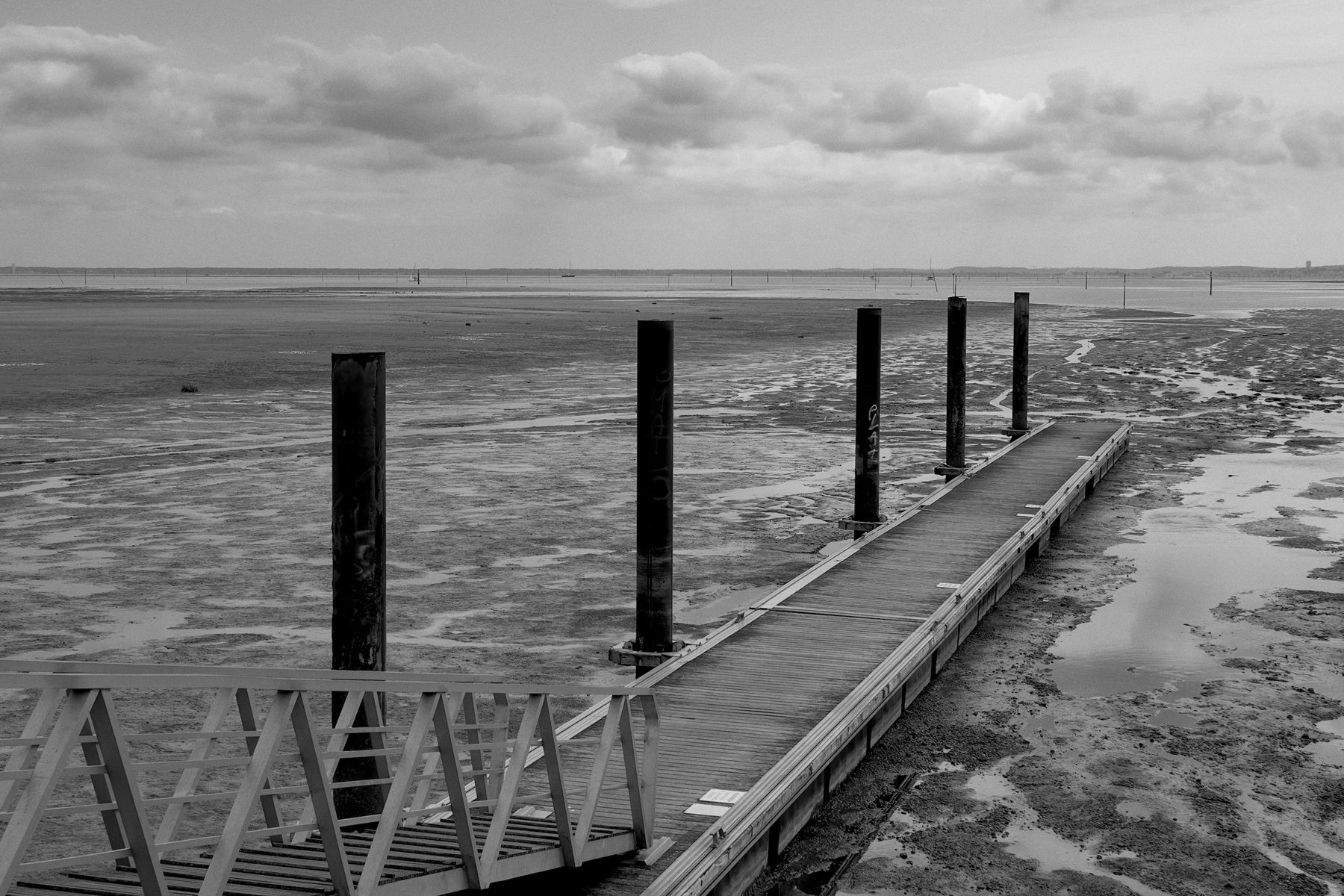
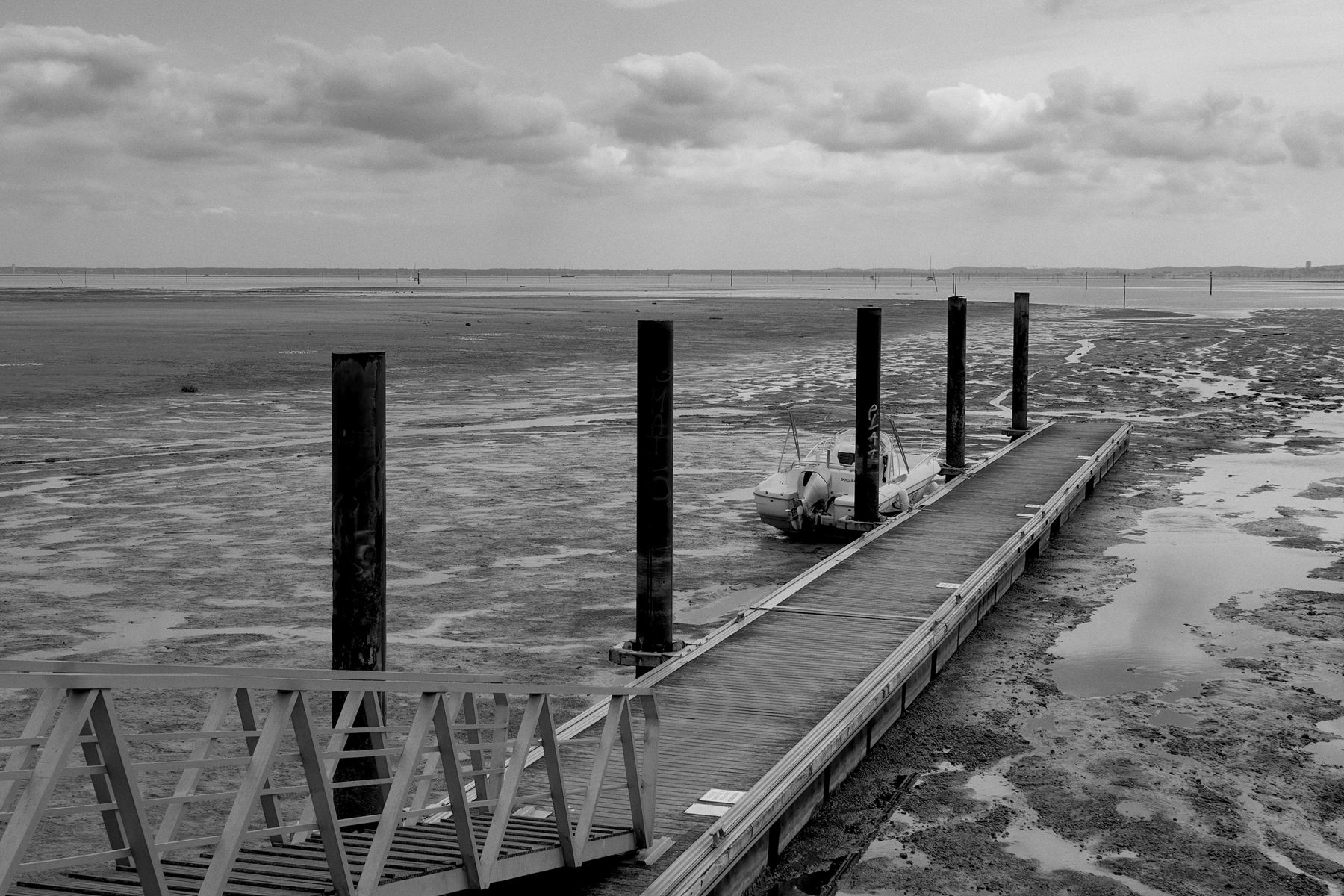
Drag across the photo to compare. Prompt left empty. First try (Nano Banana 2.1, 2K, $0.06), no retouching after Fulla.
If you know Photoshop's generative fill, you already know Fulla.
Select the area to change
With any selection tool: lasso, marquee, Select Subject.
Say what you want
“A small boat by the pier”, “make her smile”. Leave it empty to remove what's selected.
Click Generate
The result lands on a new layer, masked by your selection. Your photo itself is never touched.
Why Fulla
Pay for what you make, nothing else
No subscription, no credits lost at the end of the month. Fulla shows the cost in dollars after every image.
Sharp enough for print
Up to 4K, depending on the size of your selection.
Blends into your photo
Fulla sends the whole photo for context, then matches the colours of the result to it.
Show it what you mean
Add reference images: the real pattern, the real face, the real object.
Your photos stay yours
There is no Fulla server. Your photo goes straight to the AI service you chose.
Free, for good
MIT licence. The code is public, and anyone can check what it does.
Curious about the models behind it? See the models Fulla works with.
What a fill really costs
The same model on both sides, Nano Banana 2.
Photoshop generative fill
- One fill, 1K to 2K
- 20 credits
about $0.10 with the smallest top-up - One fill, 4K
- 30 credits, about $0.15
- Paid up front
- A monthly plan. Credits left at the end of the month are lost.
- How you see the cost
- A credit estimate, if tooltips are on
Fulla
- One fill, 1K to 2K
- about $0.05
billed per image by the AI service you connect - One fill, 4K
- about $0.12
- Paid up front
- Nothing. A few dollars of credit, used image by image.
- How you see the cost
- In dollars, after every image
Prices checked on 10 November 2026. How we worked them out. Other models work too, such as GPT Image.
Real results, straight from the panel
Drag across a photo to compare.
Remove a boat
Prompt left empty. First try, Nano Banana 2.1, 2K, $0.06. Tip: select generously
Extend a photo
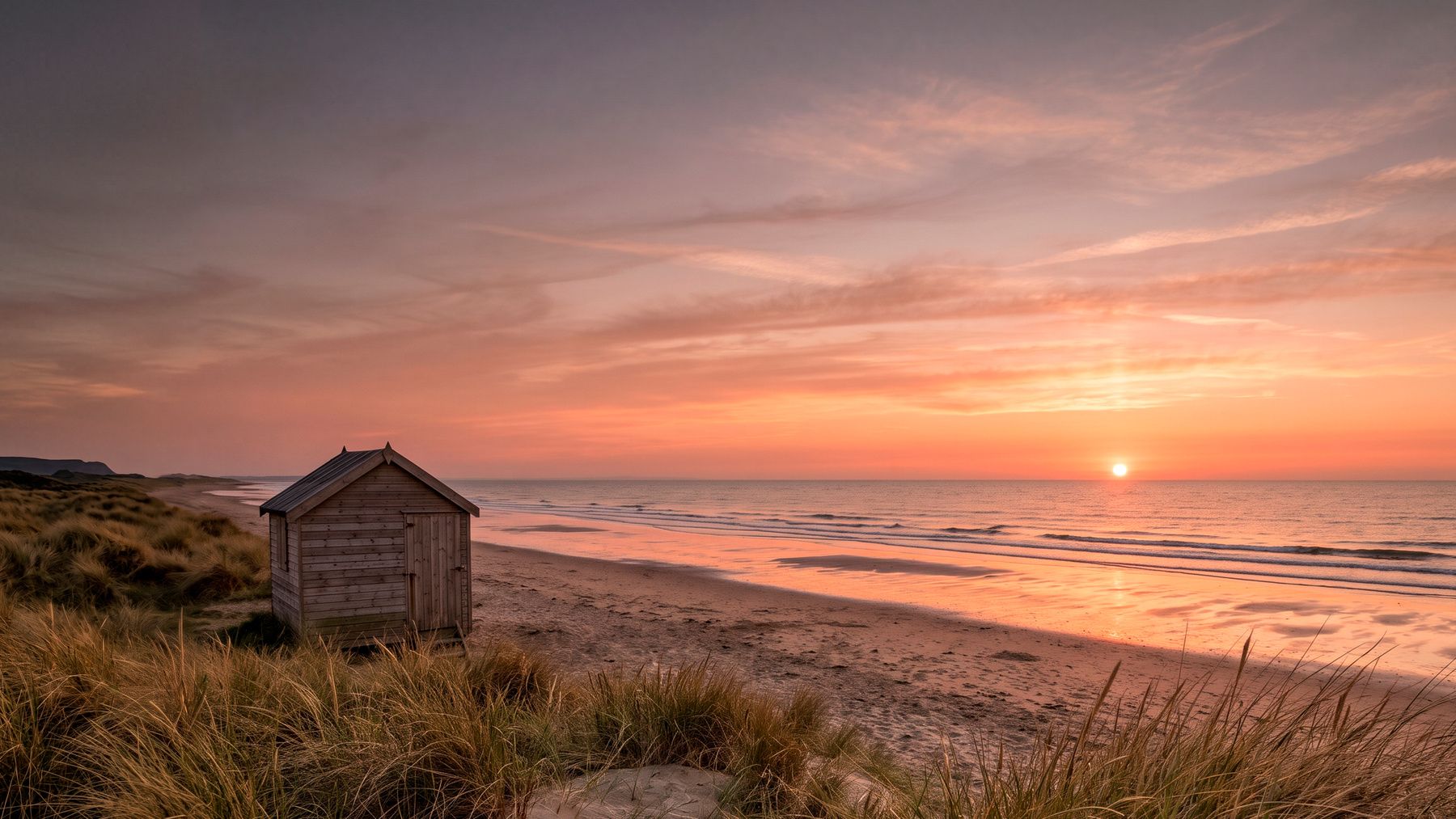
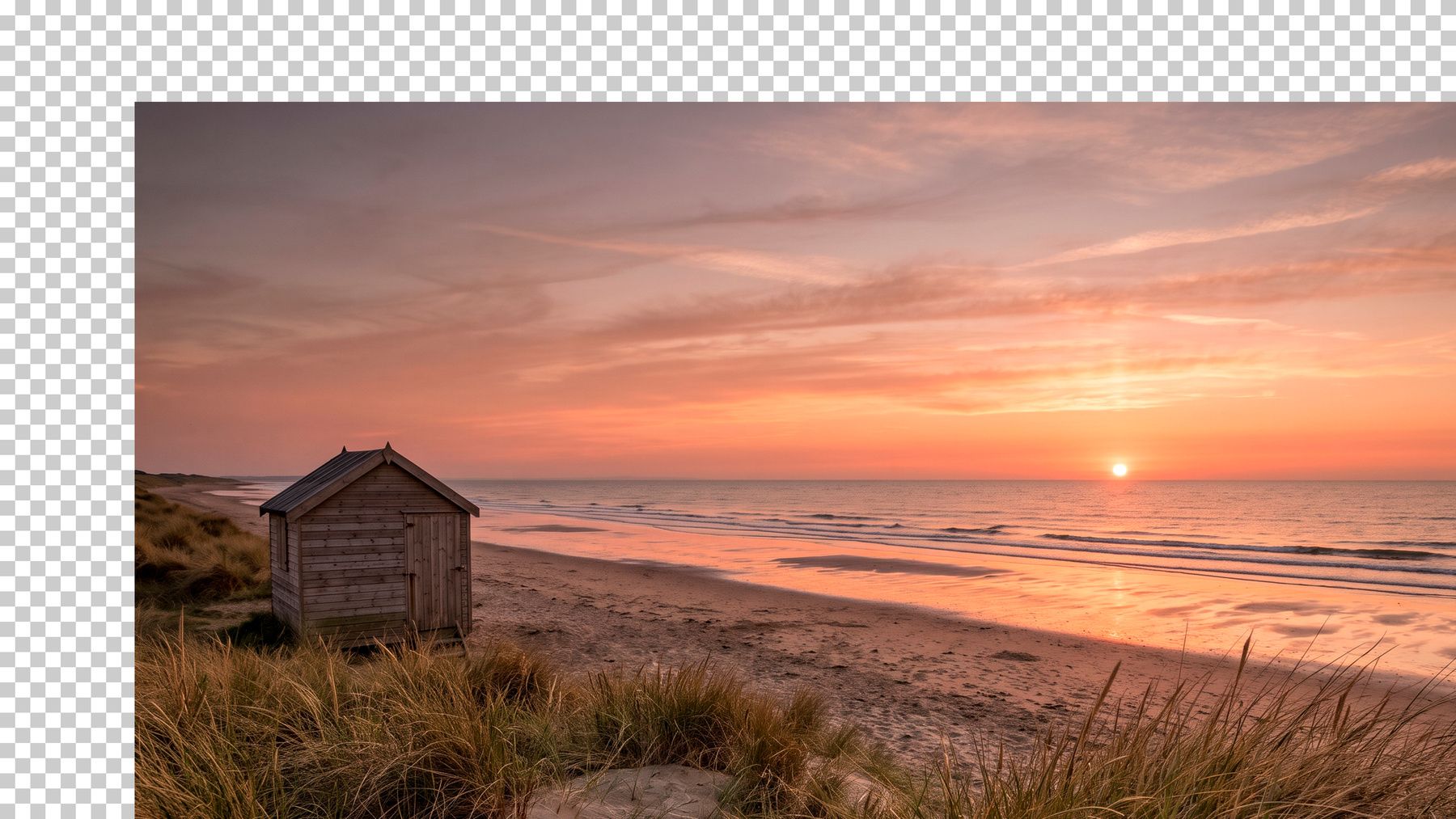
Canvas enlarged in Photoshop, each empty band filled in turn. Prompt left empty. First try for each band, Nano Banana 2.1, 4K, $0.12 each. Sample photo generated for this demo. How to extend
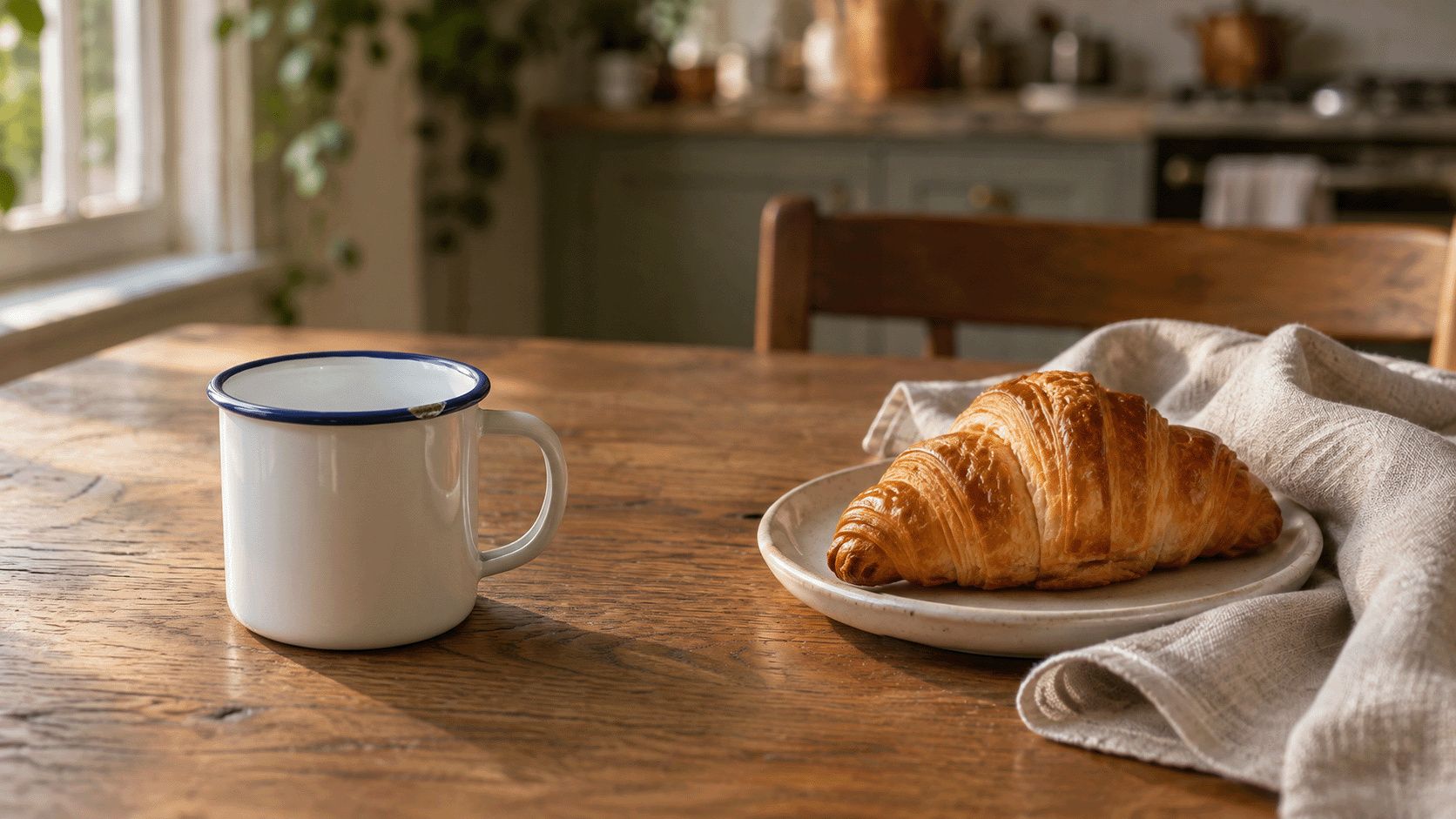
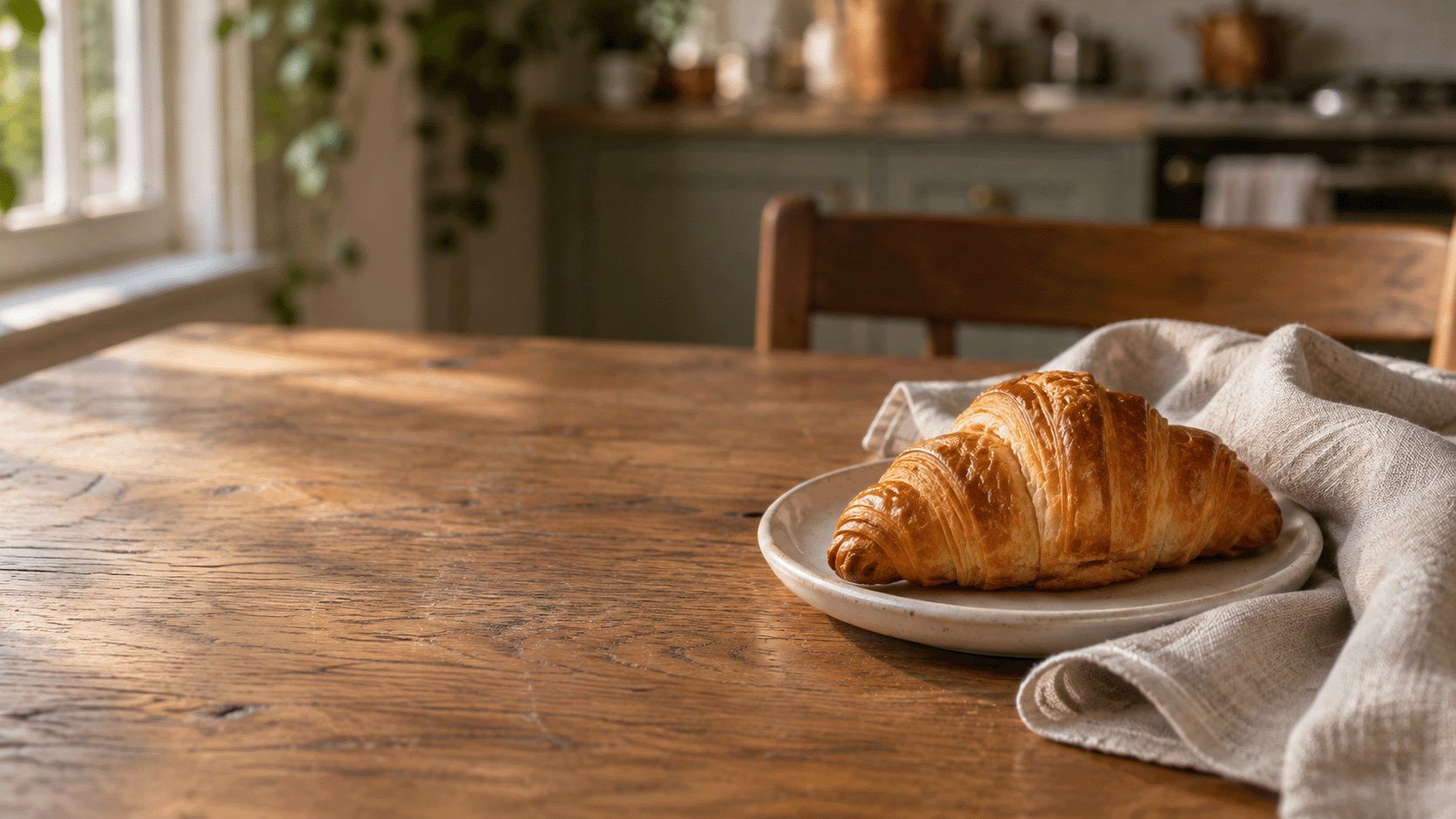
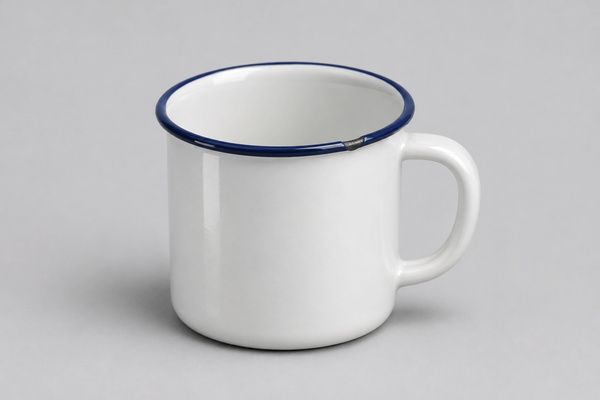
Put the mug where you want it
“Put the mug from the reference image on the table.” Your selection sets its place and size. First try with this selection, Nano Banana 2.1, 2K, $0.06. Sample photos generated for this demo. Tip: leave room for the shadow
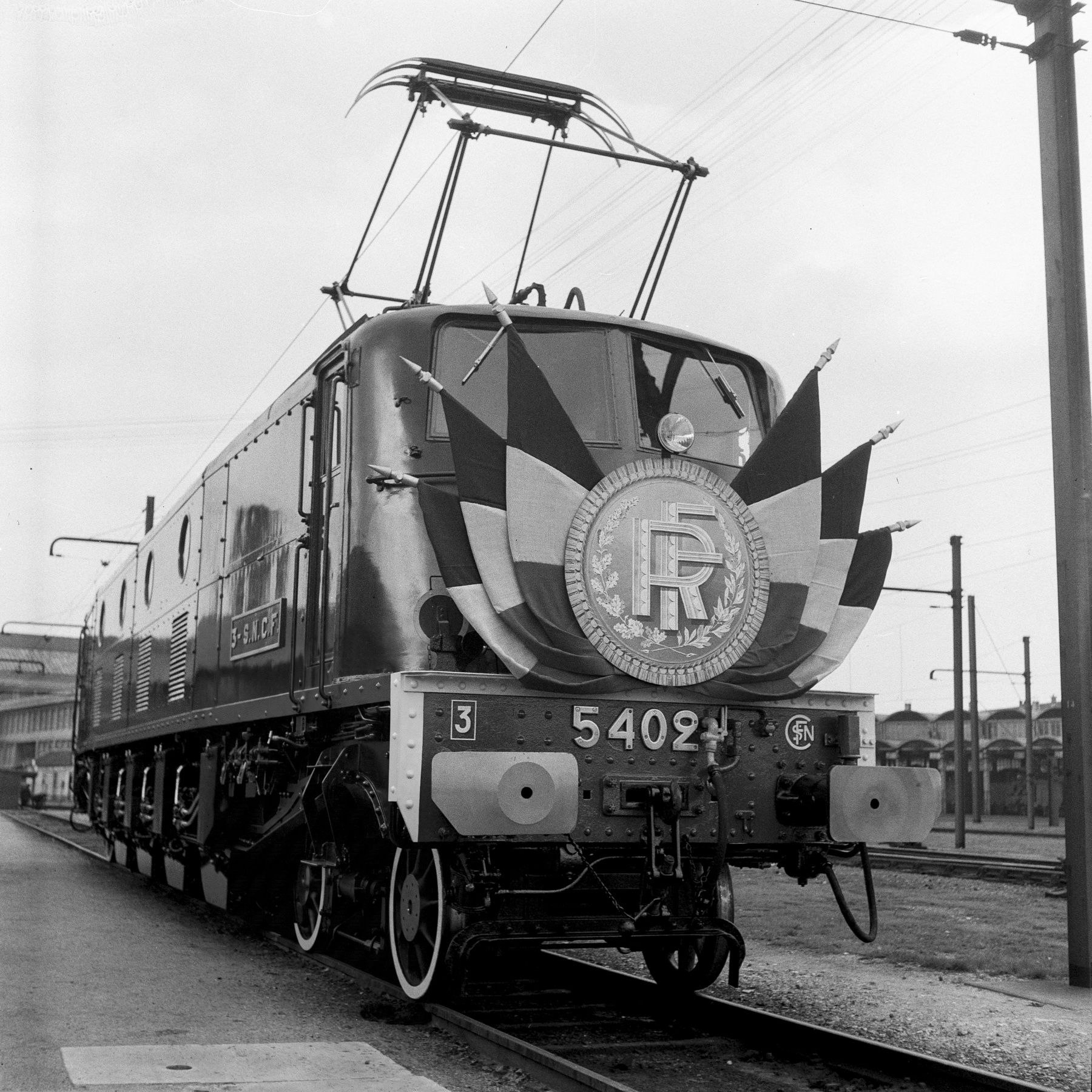
Bring back what was really there
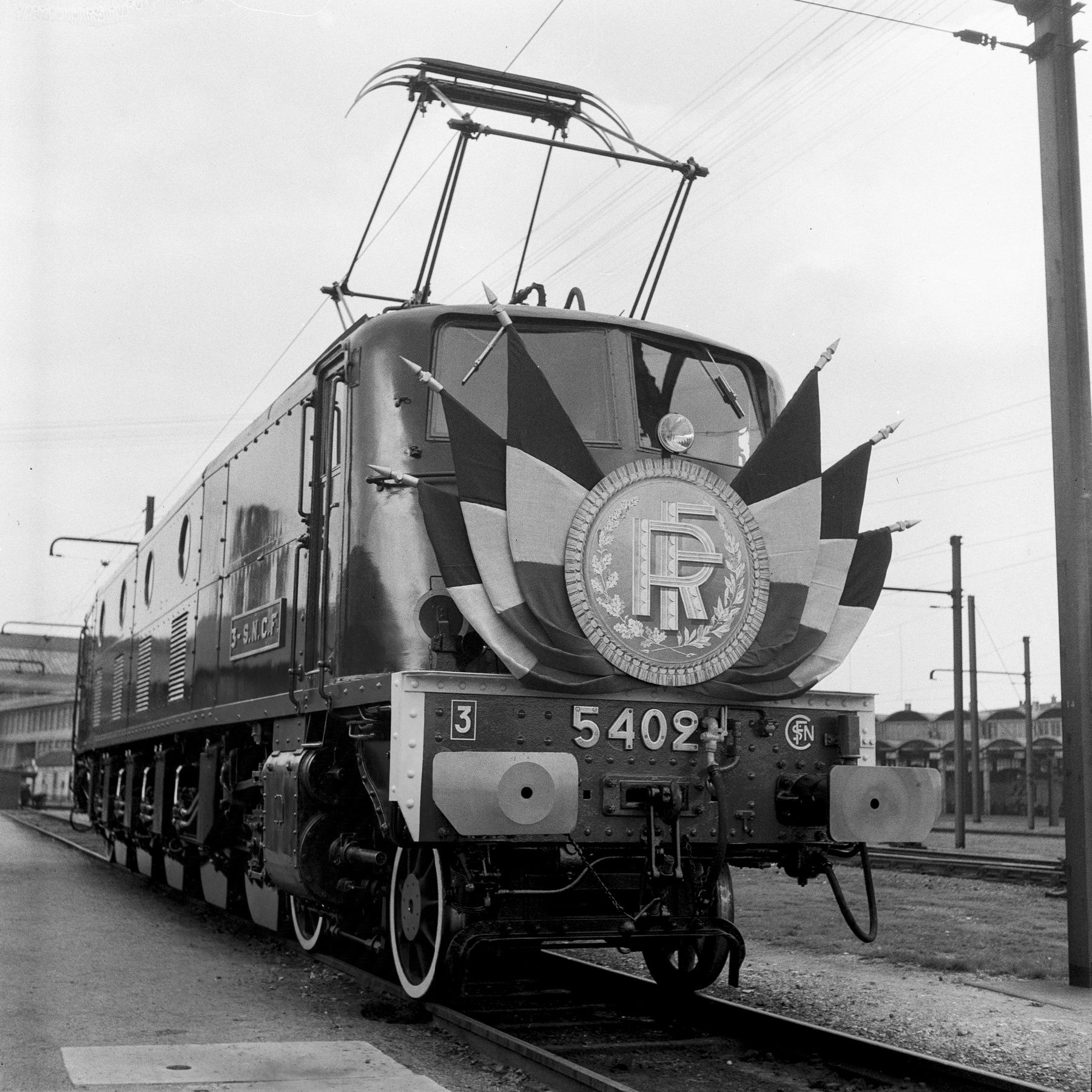
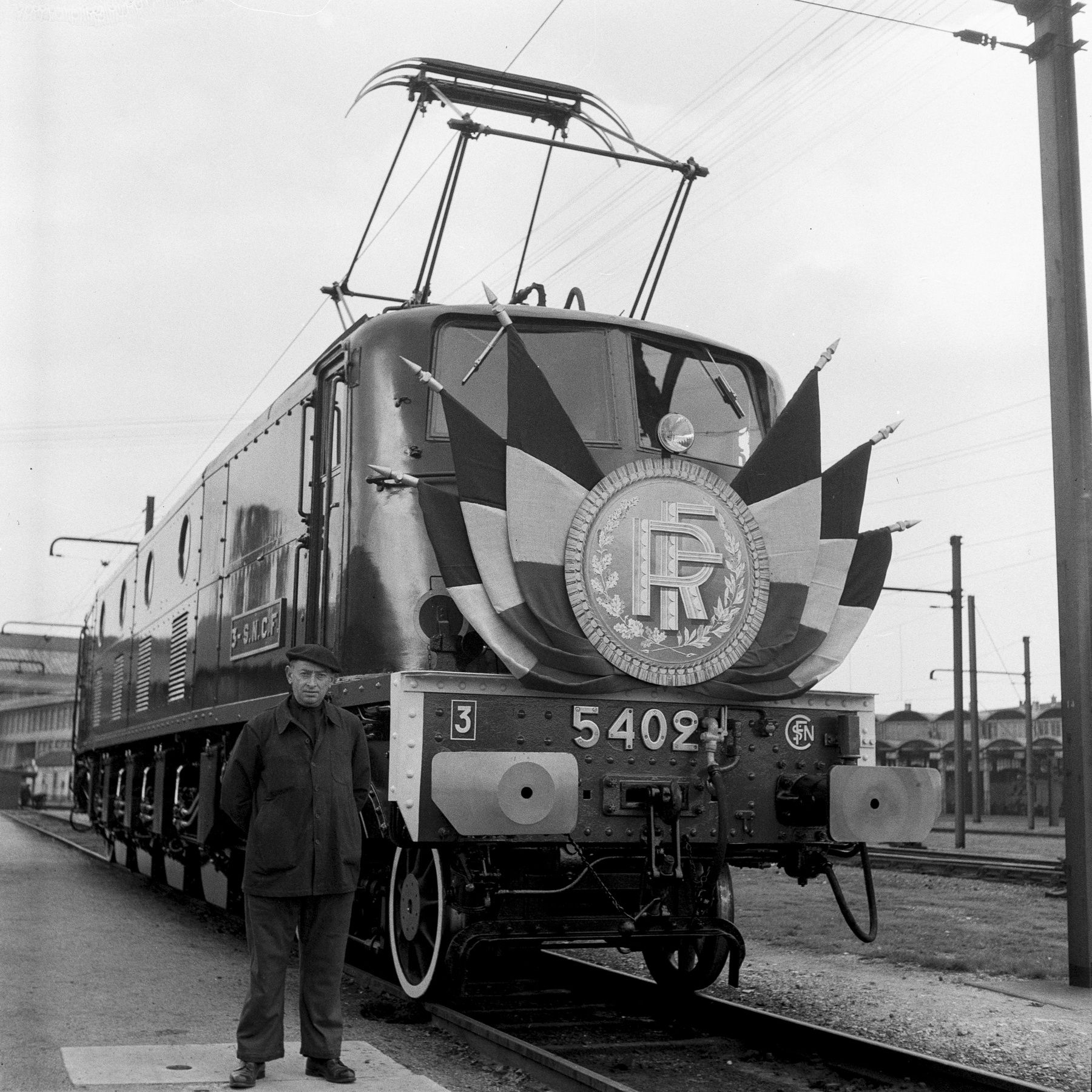
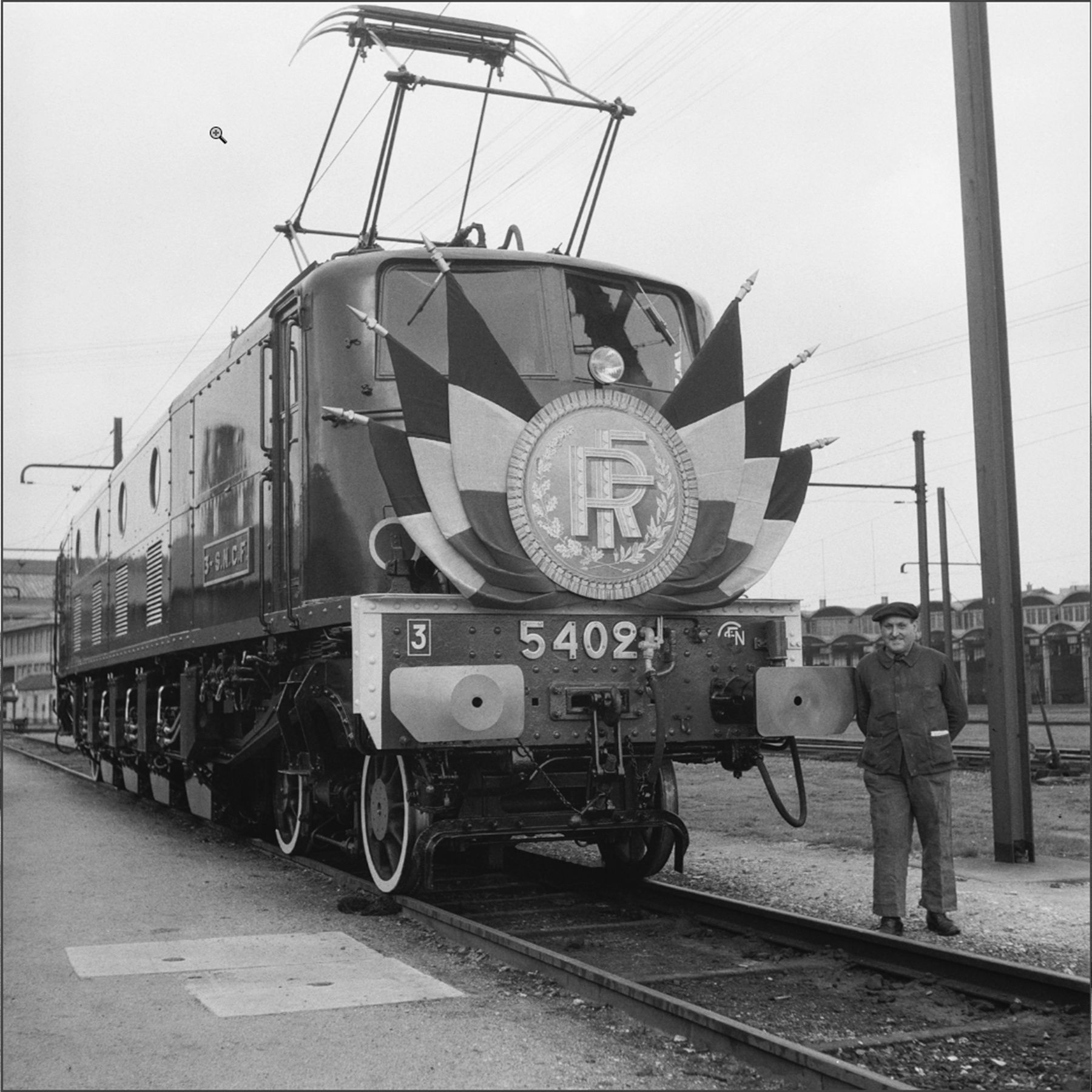
“Remove the person and use reference image 1 to rebuild what is behind him.” With another shot from the same series as the reference, the model redraws the real wheels; without it, it invents plausible machinery. Switch between them on the photo. First try with the reference, Nano Banana 2.1, 2K, $0.06. How to use references
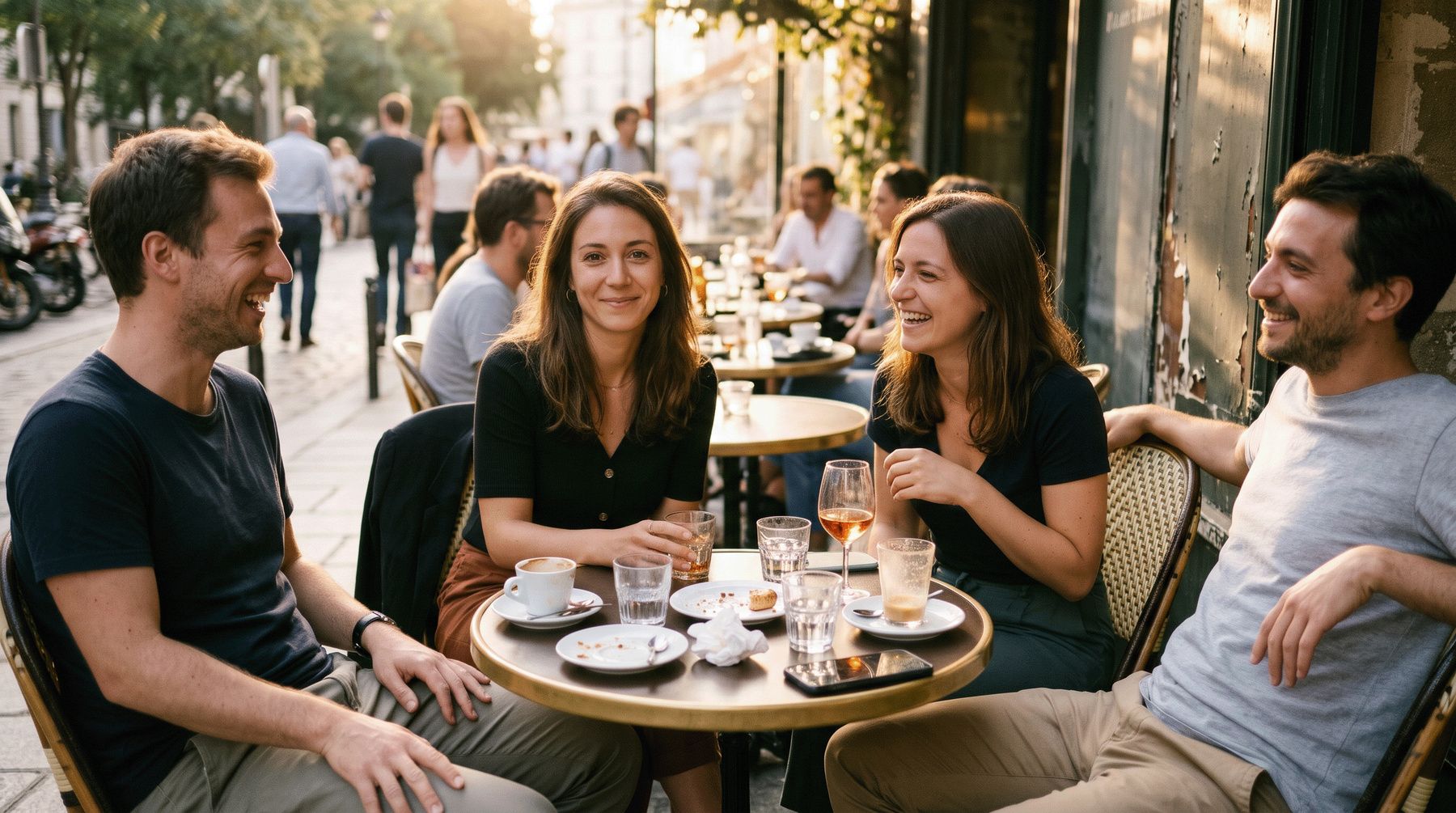
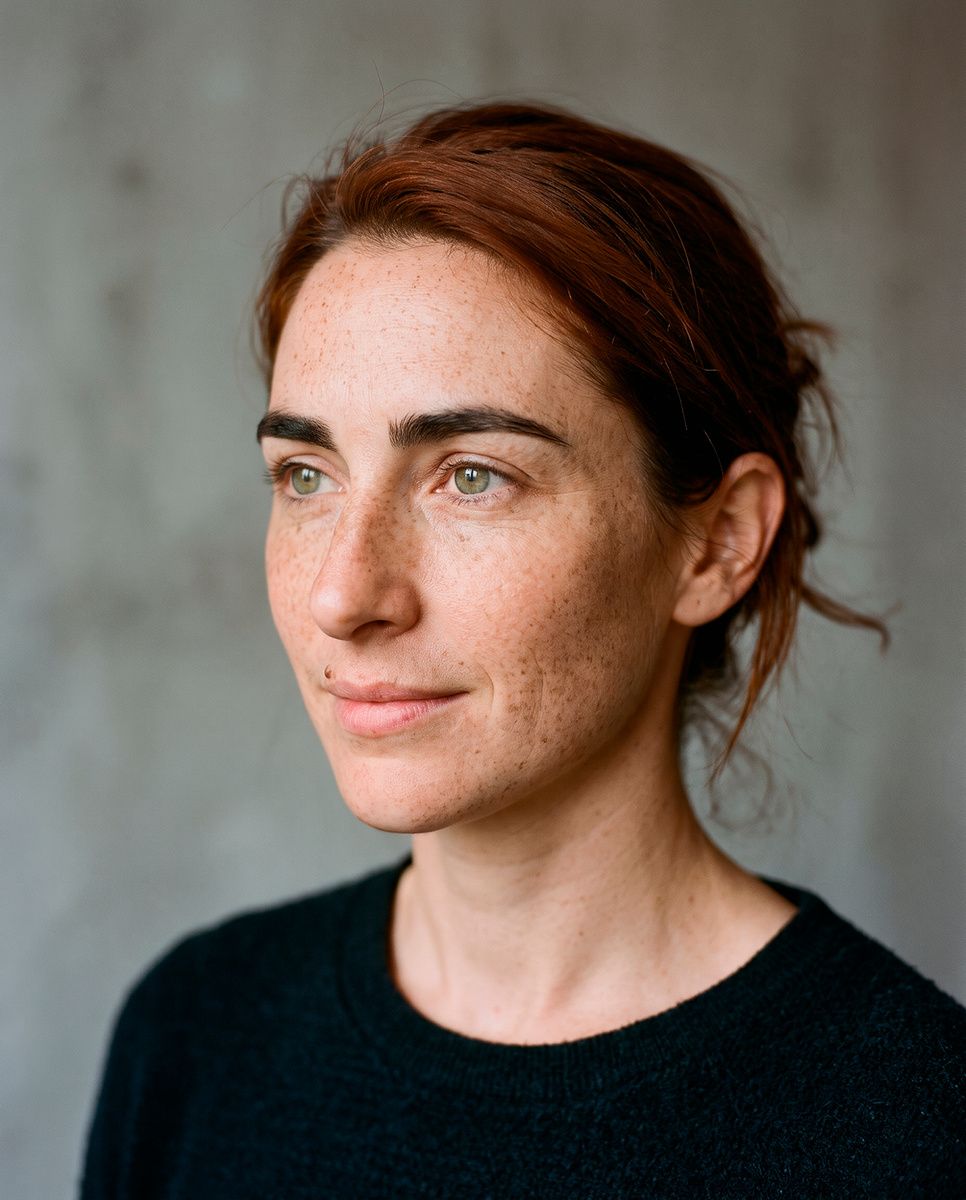
Swap a face
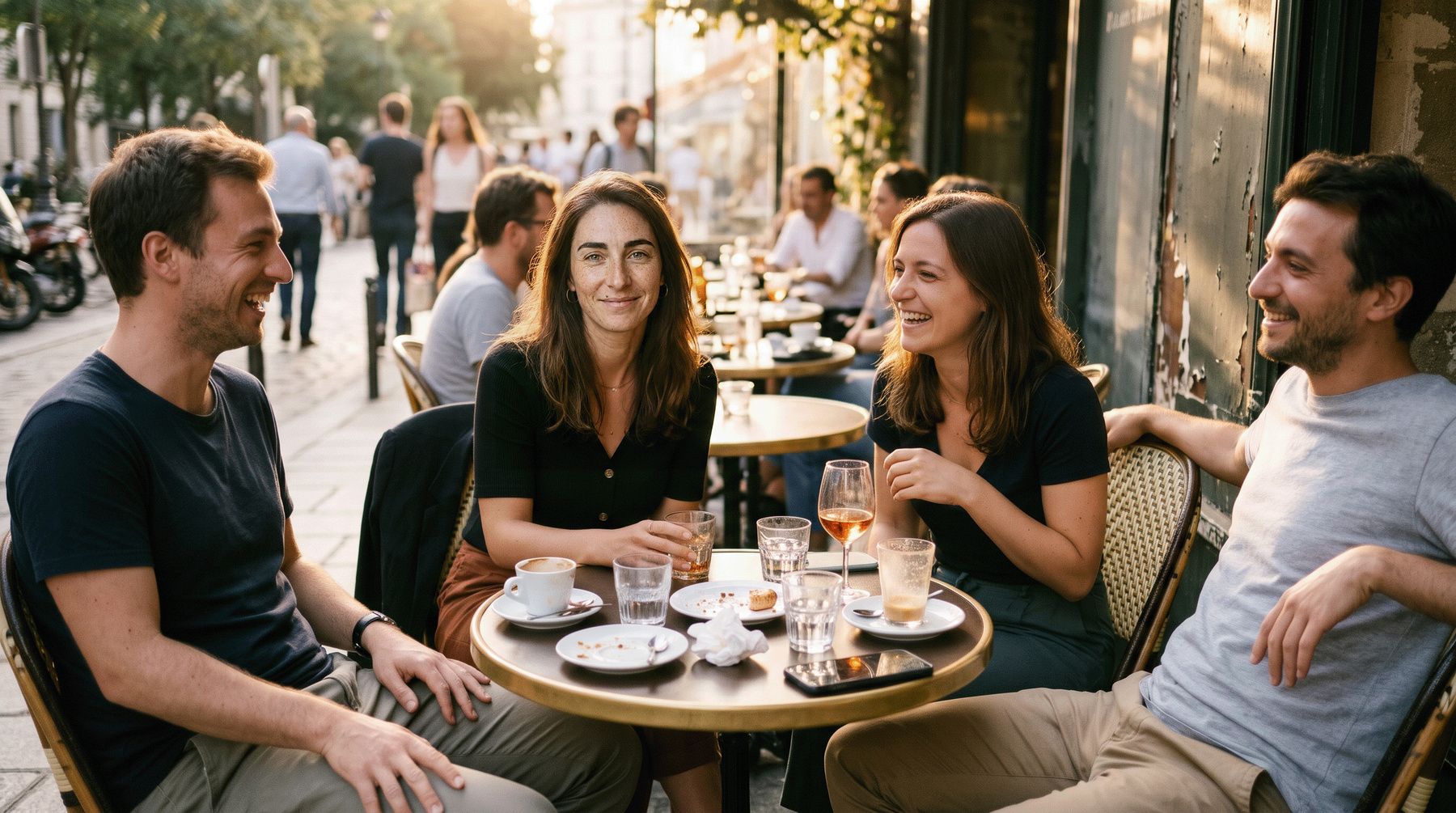
“Replace the face of the woman sitting at the table with the face of the woman in the reference image. Keep her hair, her pose, the angle of her head and the light of the terrace. Do not paste the reference image: only her face should change.” Freckles and mole from the reference, light from the terrace. First try, Nano Banana 2.1, 2K, $0.06. Sample photos generated for this demo: no real person. How to use references
Try it on your next photo.
You need Photoshop 2026 (27.11 or later) and an account with an AI service. OpenRouter takes a few clicks from the panel; $5 of credit is about 100 images. Source code on GitHub.