

Getting good results
A few habits make the difference between a fill that shows and one that doesn’t.
Select generously
Section titled “Select generously”Leave room around what you add or remove.
To add an object, the model fits it to your selection: give the selection the proportions of the finished object, shadow included. With the wrong proportions, the object comes out cut at the edge of the selection, most often its shadow. In low, raking light the shadow is long: widen the selection on the side where it falls.
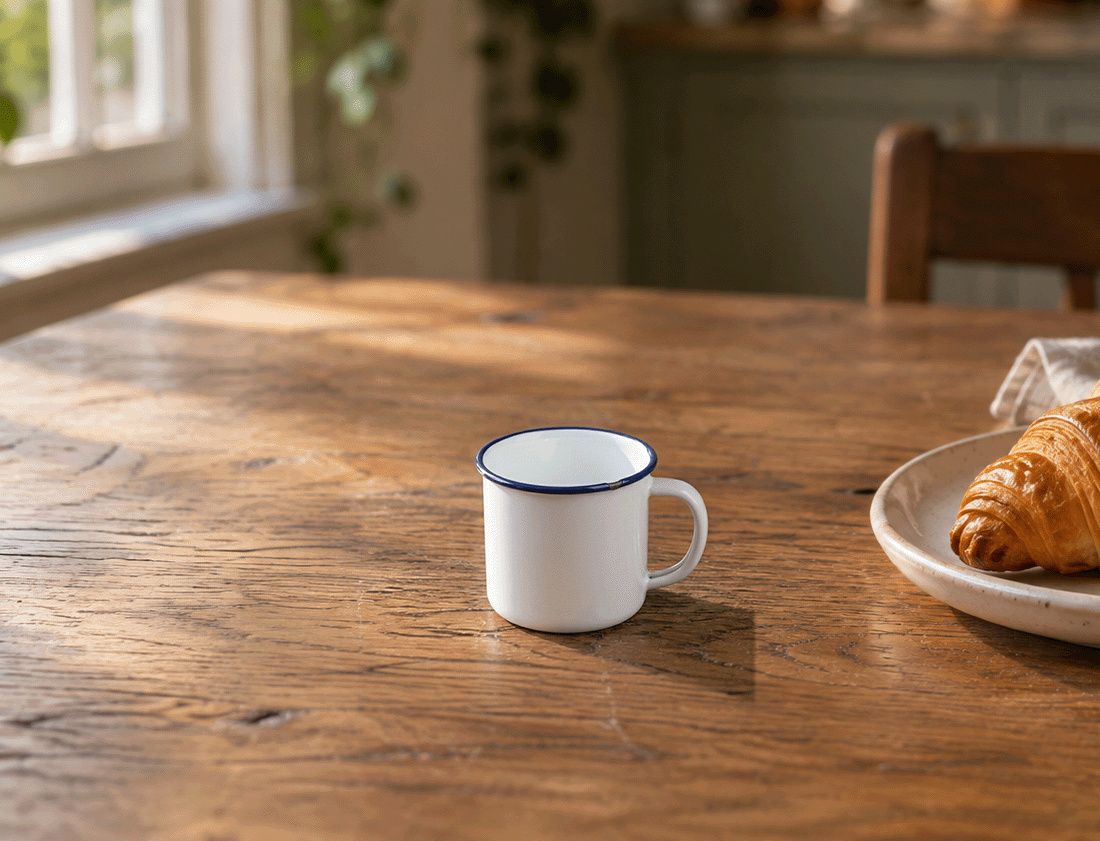
Narrow selection, taller than wide. It doesn’t have the proportions of the mug and its shadow: the mug comes out small, and its shadow is cut off at the edge of the selection.
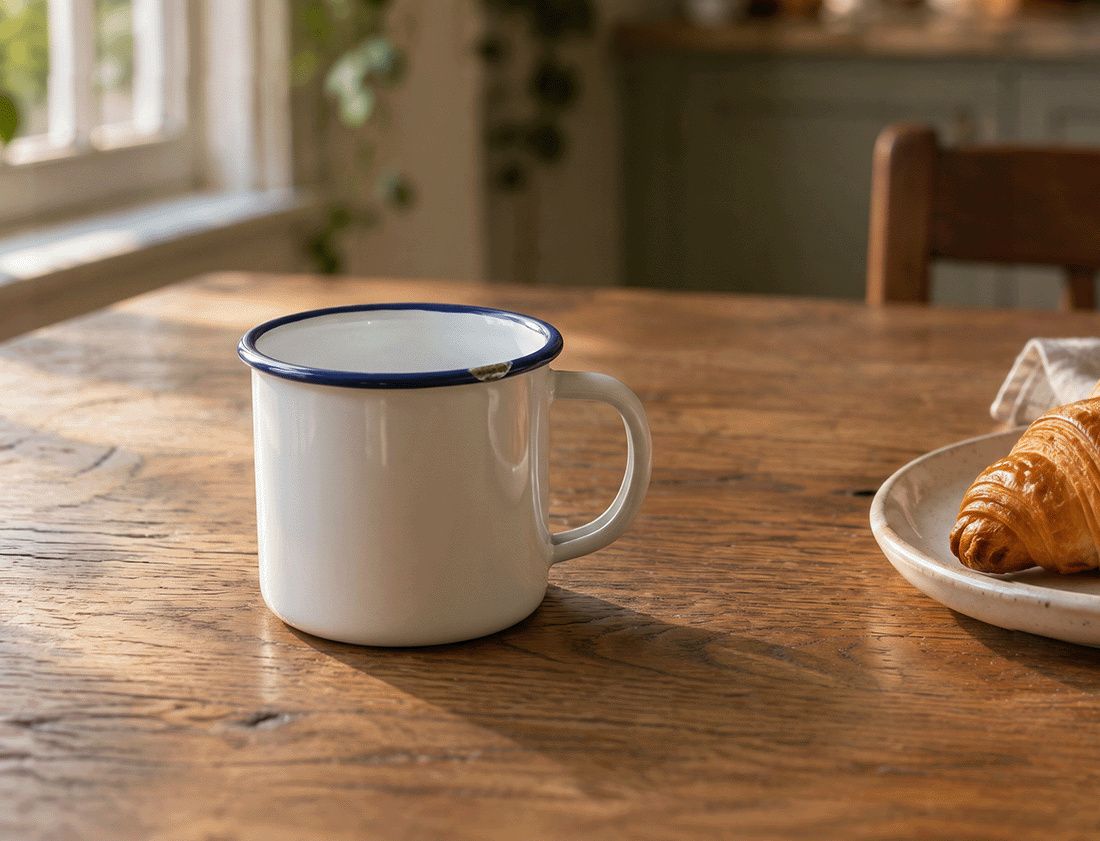
Generous selection, room for the shadow. The whole shadow falls on the table.
Same photo, same reference image and prompt: “Put the mug from the reference image on the table.” Nano Banana 2.1, 2K, $0.06 each. Sample photos generated for this demo.
Ask for the light, the perspective and the depth of field
Section titled “Ask for the light, the perspective and the depth of field”The model doesn’t always guess them. Add them to your prompt: put the mug from ref 1 on the table, match the light, the perspective and the depth of field.
Describe the change, not the photo
Section titled “Describe the change, not the photo”Say what should appear or change in the selection, not the style of the whole photo: Fulla already sends the photo around it.
Use a reference for what was really there
Section titled “Use a reference for what was really there”A face, an object, a sign: give the model a photo of it. See Reference images.
Generate again when a result misses
Section titled “Generate again when a result misses”Models draw at random, and about one result in four can miss. Click Generate again, or ask for variations and pick the best.