

Troubleshooting
When a provider blocks a run, Fulla names the reason in the card.
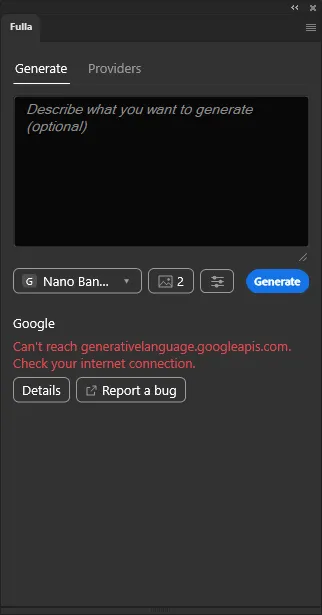
The common cases:
“Can’t reach” a provider, but my internet works fine
Section titled ““Can’t reach” a provider, but my internet works fine”If Photoshop stayed open through a real drop in your connection (Wi-Fi off and back on, a VPN toggle, sleep and wake), it can keep failing to reach every provider even once your connection is back, with nothing in the panel to tell why. Restart Photoshop.
OpenRouter says I have no credits
Section titled “OpenRouter says I have no credits”A new OpenRouter account needs credits before its first image. Add a few dollars on openrouter.ai; $5 is about 100 images.
Google refuses every image
Section titled “Google refuses every image”Gemini’s free tier allows no image generation. Turn billing on in your Google account, then try again.
OpenAI refuses the image model
Section titled “OpenAI refuses the image model”Your account needs credits, and OpenAI image models may need your organization verified on platform.openai.com.
The browser didn’t open when connecting to OpenRouter
Section titled “The browser didn’t open when connecting to OpenRouter”Photoshop asks first, and the browser window may open behind Photoshop. If you don’t reach the page with the Authorize button, click Open the page again in the panel.
The result has a slight colour cast
Section titled “The result has a slight colour cast”Photoshop is probably ignoring embedded profiles. See Colours.
The added object is cut at the edge
Section titled “The added object is cut at the edge”The selection was too tight. Select again with room for the object and its shadow: see Getting good results.
Something else
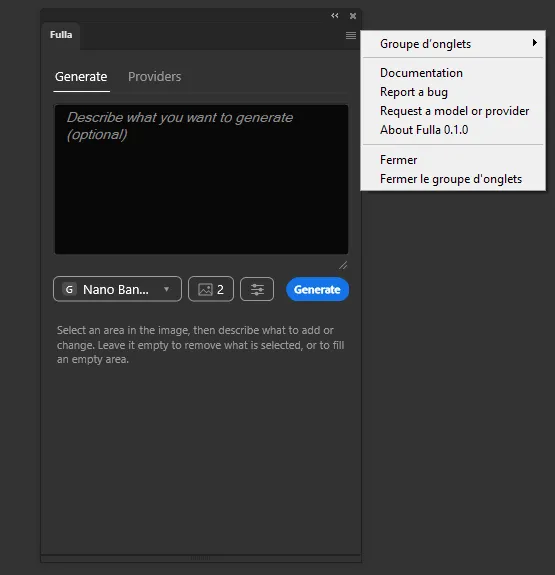
Section titled “Something else”Click Report a bug under the card’s Details: it opens a GitHub issue with the error already filled in. You still describe what you did, and can attach a screenshot or the photo. The same button is in the panel’s menu (≡, top right), without the error.
Stuck? Ask your AI assistant
Copy this into ChatGPT, Claude or any assistant. It reads the whole Fulla guide and helps you step by step.
I'm using the Fulla plugin in Photoshop. Read https://fulla.dppst.com/llms-full.txt and help me fix a problem with Fulla, step by step.